
SpinPractices on Console
Stick tracking on the car shop dummy — plus the PS5 shift-lock path if you plug a keyboard in.
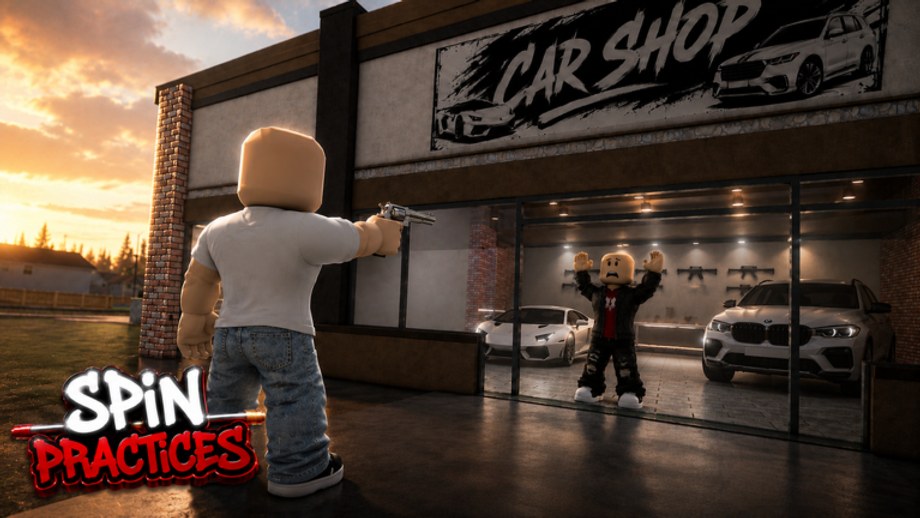
SpinPractices is on Roblox, so it runs on PlayStation, Xbox, and a keyboard sitting on a coffee table. The dummy in the car shop does not change. Your look device does. This page is the console session: stick curves, deadzones, shift lock without a Shift key, and when a plugged-in keyboard is allowed to copy the PC how to spin guide. Join the real place ID 127446630843624 — copies named like crate-spin games will waste a boot.
Stick vs mouse, said plainly
A stick has acceleration and a deadzone. A mouse does not. If you copy a PC 360 clip on a DualSense, the camera will either stall in the center or whip past the dummy’s head. Train tracking first. 360s on a stick are slow orbits with the right stick held at the edge, not flicks.
The trainer is still a shared 24-player range. There is no dedicated party playlist. Other players will walk through your sight picture. Hop if the dummy is a crowd, then start the block.
Shift lock on a pad
The video in the middle of this page shows shift lock with a keyboard on PS5 / PS4. That path matters because many hood players dock a keyboard to the console. Two cases:
Pad only. Open the Roblox menu → Settings → look for Shift Lock Switch. If the beta experience also draws a lock icon, bind it to a spare face button so you can toggle without opening the menu mid-magazine. When lock is on, strafing should slide the dummy sideways, not orbit you around the shop.
Keyboard on console. Follow the video: enable shift lock, bind it to Left Shift or a key you will not hit while moving, then treat the session as PC. Use controls for the rest of the binds and sensitivity setup for the slider. Do not keep a high stick curve and a high mouse slider at the same time.
If lock will not stay on after a rejoin, that is a beta hitch. Rejoin once before you rebuild the whole setup. Beta notes tracks that class of bug.
Deadzone and look speed
- Lower look deadzone until a tiny stick tap moves the camera. A fat deadzone is why first shots after a strafe feel late.
- Start look speed below your usual Fortnite / hood number. Ten chest shots from the asphalt. If the dummy leaves the frame on a short push, lower it.
- Turn camera acceleration down if the orbit speeds up in the last 30 degrees of a turn. That last-second whip is how 360s skip the head.
- Log the three numbers. Tomorrow’s pad should load the same three, not a new guess.
Aim assist on Roblox third-person ranges is not a published SpinPractices stat. Do not build a routine around a magnet you cannot measure. Count hits on the dummy instead.
The console dummy block
Steal the clock from the practice planner so the session ends:
- 2 minutes static chest, stick centered, trigger only.
- 4 minutes tracking: dummy still, left stick strafes, right stick keeps the chest.
- 2 minutes peek from the brick pillar. One shot, cover, reset.
- 2 minutes slow 180s with the stick at the rim. Full 360s only if the dummy is still on screen at 180.
Then leave the experience and queue the hood game on the same pad. A console warmup on a TV followed by a fight on a phone is two devices. The warmup routine is the same idea with a ten-minute cap.
Keyboard on the couch
Plenty of PS5 Roblox players plug a USB keyboard for hood games. If that is you, SpinPractices becomes the PC trainer that happens to render on a TV:
- Shift lock on, as in the video.
- Mouse if you have one; keyboard-only 360s are worse than stick tracking.
- Same DPI / camera sense you will use in the fight. See sensitivity setup.
- Then the how to spin orbit, not a stick whip.
A BlockSpin-on-PS5 tutorial is a cousin of this page, not a patch note. Confirm you are in SpinPractices (revolver, car shop, surrender dummy) before you copy a bind from another experience.
What to skip on console
- Jump 360s until static tracking is boring. Jump on a pad steals the right-stick thumb.
- Script hubs. Console executors are a ban path and they delete practice. Scripts and script safety exist so you can say no with a reason.
- Code hunting. No public codes as of September 2026. Bookmark codes.
- Outfit experiments during the first eight minutes. Huge hats hide the dummy on a 10-foot TV just like they do on a monitor. Loadout rankings wait until the last two minutes.
Related pages
Mobile aim if you also play on a phone. How to play for the gym loop. How to improve aim when chest groups fail. Guides hub for the rest of the tree. Getting Started if you still have not found the dummy.
Frequently Asked Questions
Quick answers for SpinPractices sessions, settings, and drills.
Does SpinPractices work on PS5 and Xbox?
Yes. It is a Roblox experience. Join place 127446630843624 and land on the car shop range.
How do I turn on shift lock on a controller?
Roblox settings → Shift Lock Switch, or an in-game lock icon. Keyboard-on-console steps are in the video on this page.
Can a stick do a real 360?
A slow orbit, yes. A mouse-flick 360, no. Train tracking first, then 180s. See how to spin if you plug a mouse.
Should I use the same sense as my hood game?
Yes, on the same device. Log it in sensitivity setup so the dummy and the fight agree.
Is there aim assist in the trainer?
Roblox does not publish a SpinPractices assist number. Count dummy hits; do not assume a magnet.
Can I practice with a party on console?
There is no dedicated party playlist. Up to 24 players share the range. Hop if the dummy is crowded.