
SpinPractices on Mobile
Train dummy tracking on a phone without copying a mouse 360 that will never land.
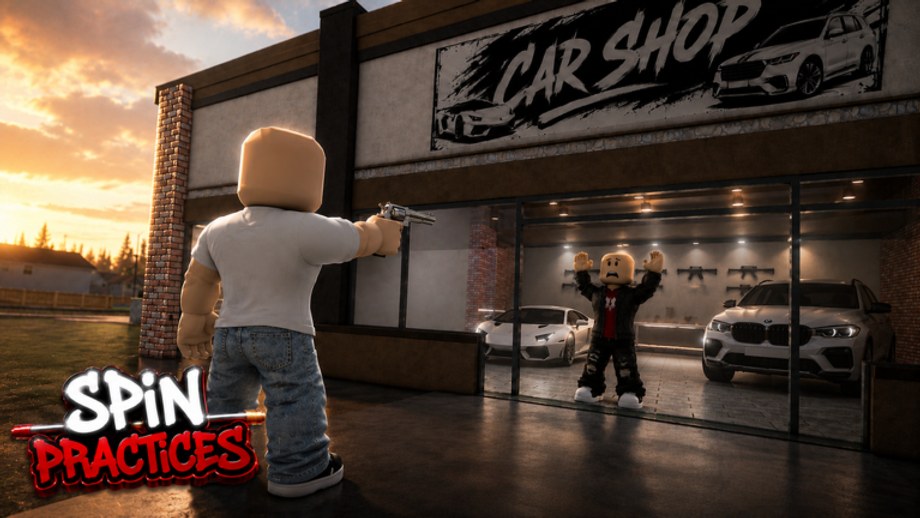
Most SpinPractices visits now come from a phone in a pocket, not a mouse pad. The car shop dummy does not care. Your thumbs do. This page is the mobile session: how to hold the screen, how to turn on a lock camera, which drills transfer to hood gunfights, and which 360s you should stop forcing. Read Getting Started once so you know the dummy lives between the two white cars, then come back here instead of copying a PC routine.
What a phone actually trains
A phone trains tracking and tap-flicks. It does not train a mouse-orbit 360. If you spend twenty minutes trying to whip the camera a full circle with one thumb, you are practicing a motion you will not use in a real mobile gunfight. Use the how to spin page only after you can keep the dummy’s chest on screen while you walk.
The live beta still lists PC, mobile, and console on the same 24-player servers. You will share the glass line with mouse users. That is clutter, not a reason to crank look speed until the dummy is a blur.
Thumb layout that does not fight the dummy
- Left thumb = move only. WASD on a joystick. Do not also drag the camera with that thumb.
- Right thumb = look and fire. Camera drag lives here. Fire is a tap, not a smear.
- Fire button stays inside the right thumb’s rest zone. If you have to jump your thumb from look to shoot, first shots after a strafe will miss.
- Do not cover the dummy with UI. Huge chat, huge backpack, huge emote wheel — hide them. The dummy’s head is a small target on a 6-inch screen.
If Roblox’s default joystick sits on top of the glass door, remap in the experience settings or stand one step left so the dummy is in the open third of the screen.
Shift lock on mobile
The video in the middle of this page is the Roblox shift-lock toggle — the same camera mode PC players call shoulder cam. On a phone there is often no Shift key. Look for:
- Roblox menu → Settings → Shift Lock Switch set to On (some clients still show it).
- An in-experience lock icon on the HUD. Tap once; the camera should sit over your shoulder and strafe should not orbit the dummy away.
- If neither exists, the beta has not shipped a mobile lock yet. Train tracking without it and do not pretend you are doing PC 360s.
A locked camera on mobile is still worth it: left-right strafes keep the dummy in the same screen column. That is the whole point of the trainer. Pair this page with controls if the icon is missing after a teleport.
Sensitivity on glass
Touch look speed is not DPI. Start lower than your obby sense. Ten slow chest shots from the asphalt. If the dummy leaves the screen on a short drag, lower again. If you cannot turn 90 degrees without three swipes, raise a little. Log the number on sensitivity setup so tomorrow’s thumbs start in the same place.
Do not copy a friend’s PC slider. Do not copy a console stick curve. One device, one week, one log.
The mobile dummy block
Use the practice planner clock if you wander. A honest phone session:
- 2 minutes static chest, two-handed hold, no walking.
- 4 minutes AD tracking: dummy still, you strafe, right thumb only corrects.
- 2 minutes peek shots from the brick corner. One tap, hide, reset.
- Optional 2 minutes of a half-turn, not a full 360. Stop if the dummy vanishes at 90 degrees.
Then leave. Queue the hood game you actually play on this same phone. A mobile warmup that continues into a PC 360 set is two sessions glued together, and both get worse. The warmup routine is the ten-minute version of this block.
What to skip on a phone
- Jump 360s. Your jump button eats the fire thumb.
- Wall-rifle tourism. The rack is a prop until a patch says otherwise. See beta notes.
- Script menus. Touch executors and aimbots delete the only reason you opened a trainer. Script safety is the stop sign.
- Codes browsing. Nothing is live as of September 2026. The codes hub is the bookmark, not a HUD hunt mid-block.
Transfer out
The car shop is a gym. After the block, take the same look speed into your hood game. If the first real fight feels faster, you warmed up slower than you fight — that is normal. Do not raise SpinPractices sense to match panic. Lower the fight sense toward the dummy number instead.
Outfit bulk still hides the dummy on a small screen. Loadout rankings apply: take the hat off for the first eight minutes.
Related pages
Console aim if you also play on a pad. How to play for the session template. How to improve aim when static shots fail. Guides hub for the rest of the tree.
Frequently Asked Questions
Quick answers for SpinPractices sessions, settings, and drills.
Can I learn real 360s on mobile SpinPractices?
You can train half-turns and tracking. A full mouse-style orbit is a PC drill. See how to spin when you have a mouse.
Where is shift lock on a phone?
Roblox settings or an in-game lock icon. If neither appears, train without it and keep the dummy in one screen column.
Is mobile worse than PC for this trainer?
It is different. Tracking on a phone still transfers to mobile gunfights. Do not grade yourself against mouse clips.
Should I use a mobile aim script?
No. An aimbot on a trainer is a score you cannot spend. Read script safety.
Why does the dummy look tiny?
Hide extra HUD, stand closer to the glass, and drop look speed. A 6-inch screen is not a monitor.
Can I play with a Bluetooth mouse on Android?
Some phones allow it. Treat that session as PC rules: shift lock, sensitivity setup, then how to spin.